Showing posts with label photography. Show all posts

Friday, 23 May 2008

Snippets on Friday 05/23

A fair bit of stuff this week. Seems like exhibits and picture contests are being organised left right and center these days. All the better I would say!


SL5B “Celebrating the cultural diversity of Second Life”

Each year, on the date that Second Life came out of beta (June 23rd 2003) SL's birthday has been celebrated with an art event everyone can participate in. If you want to be part of it this year you will have to hurry though. The SL5B-team will only be accepting applications until May 25th. This years theme is “Celebrating the cultural diversity of Second Life”.

You can expect to see the regions open for building on or shortly after June 1. The deadline for completing your builds is June 20. Gates open on June 23 and the event runs until June 30th.
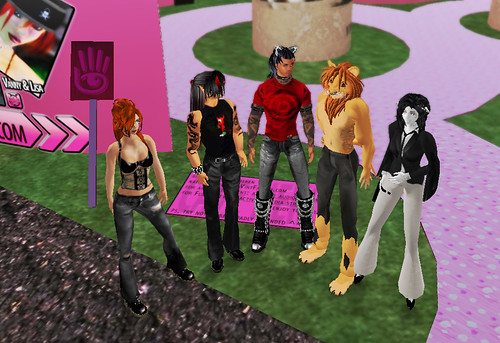
At last years SL4B

Apart from the exhibit the team is putting together a retrospective of scenes from previous SL Birthday events. If you have movies or still images of 2004, 2005, 2006 or 2007 that you can share with full permissions, please drop then on Evie Fairchild, and include a notecard that explains which year the photos are from. If you have photos on a photo-sharing site, please send Evie a notecard with links to them. Once the photos are compiled, you may be invited to donate a voice remembrance to add to the slide show.

More info on SL5B on the Linden Blog
Info about SL5B on Vint's blog
Info about SL5B on Shoshana's blog
submit your applications for SL5B here


Cienega Soon

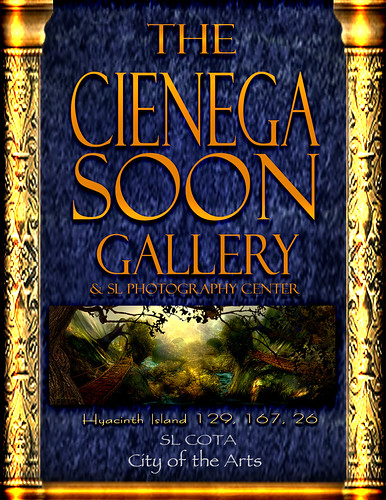
I said it before: I love Cienega Soon's art. A while ago she opened her own gallery at SL City of the Arts at Hyacinth Island. Two floors of beautifully colourful art and there is a wing reserved for invited artists. Definitively worth a visit! On top of that 60% of all sales goes to Bread & Jams, feeding the homeless.

Go there straight from here

Exhibit at Plutonia

My French speaking friends Sebcaen Ulysses and Gabrielle Sinatra are showing their remarkable pictures at Plutonia together with Hinata Ivory, Vayne Shan & Sypher Wyler.


Grand opening of the event is on May 24th at 12PM SLT

Go there straight from here

Exhibit at The Cannery

There is always something going on at the Cannery. May 21th an exhibit opened featuring the art of Marianne McCann, Raul Crimson, Stephen Venkman, Kimberly Mirabeau and Prad Prathivi. With names like that you know you're in for a treat. You can go and see it till June 12th.

Go there straight from here


Playtoy Centerfold Contest!

Jeza May announced yet another picture contest. Here is your chance to be the centerfold of Playtoy!! You can submit your work until May 31th and, who knows, maybe win the 2000 L$ cash prize.

More info on Jeza's Flickr stream


Avatrait picture contest

Over at Avatrait Corbet Howard's work is till on display. Part of the exhibit is a nice set and pose created by Corbet and used in one of his pictures. You can use it to take your own picture. Anyone who has taken a shot there can post it in the Avatrait Gallery pool thus entering it in a picture contest organised by Stephen Venkman. You have until May 31st to get your images in. The winner will be announced on June 2nd.

More on Stephen's Flickr stream

Go there straight from here


Work on display at Shoshanna's Gallery

I have put some of my work up on display (and for sale) at Shoshanna's gallery. I wrote about the gallery last week and last I looked there are still a few open spots. So, if you have no work on display in world at the moment or your av is less then 90 days old contact Shoshanna Epsilon in world and fill those empty spots in this beautiful gallery! Of course you can also just go and have a look at the wonderful pieces already on display.

Go there straight from here

Friday, 2 May 2008

Snippets on Friday 05/02

The Artists Park

Wyatt Benoir has announced the re-opening of the Artists Park with a gala this Saturday May 3rd at 2pm. The first to exhibit at the new location will be Ryker Beck. She will be selling ten exclusive, never-before-seen pieces at the show! 50% of all proceeds will be donated to Relay for Life. The fantastic DJ Nexeus Fatale will be spinning the tunes.


Knowing Ryker I'm sure there will be quite the crowd there. I for one will be stopping by for sure.

Go there straight from here

Update ! I got word this morning that, and I quote "Until further notice The Artist's Park Opening is postponed due to equipment problems and artist booking."
The opening should be soon anyway. I'll keep you posted.


Stiletto Moody

Also on Saturday the winners of the Stiletto Moody picture contest "Picture Your Moods" will be announced. I got an invitation for the Gala Awards Night. Whether or not that means my picture made it to the final 23 out of the 416 submitted I'm not sure. I guess we'll see tomorrow...


I'm still sorry I couldn't get my drag picture finished in time to submit it :-)


Windlight at Koinup

For those interested in SL photo contests there is still time to submit your work for the "Koinup Windlight Contest" until May 7th. All Second Life Citizens are invited to take part in this contest and submit their "windlighted" photos! The Contest is brought to you by Koinup, Torley Linden, Pastrami Linden and Vint Falken. Some of the coolest work already submitted can be seen here.

With 3 times 20 000 $L to be won I guess it's worth a shot. More info and the rules on Koinup.

Thursday, 17 January 2008

The art of making money of "SLArt"

SLART, SLART, SLART

There I said it three times. And maybe I shouldn't have. Aparently someone by the name of Richard Minsky has trademarked everything from Slart over SLArt to slart. How crazy can it get?

This issue was first pointed out to me by my friend Gany after he was approched in world by an av called "ArtWorld Market". He put a few things together and sent out this notcard:

Hi all, this is an IM I woke up with:

================ the IM ==============

[1:09] ArtWorld Market: Hi Gany-- Your profile Picks with the heading SL-Art contains "SLart SLArt ". This infringes the SLART trademark and must be removed. SL-Art and SL Art are ok.

=== I didn't save my own text at this point, since between her 1st and 2nd message I had my moms RL birthday party to celebrate (it was today and my grandparents came of for a BIG lunch), but I said that I didn't use "SLART" as a search entry, and that "SLart" or "slart" should have nothing to do with her "SLART", and that I used it since that was the word people would be using when searching for SL-Art, or people making it. On top of that, I even pointed out to her there's a SL resident named "Slart Flanagan". So... go figure what she would want him to do... anyway, here's her reply to me on what I wrote ===

[10:29] ArtWorld Market: (Saved Mon Jan 14 15:25:35 2008) Thanks for gettting back to me, Gany. SLART is a "Standard Character Mark" which means slart (no caps) or any mixture of caps and lower case letters, or any font or style are covered by the trademark. If people are searching for SLARt, slart, SLart or any other version usiing the SL search feature it is the same. SL Art or SL-art are ok to use. Others have used it and have stopped when it was pointed out they were infringing on a trademark. Here is an examplpe: http://virtualartpedia.a.wiki-site.com/index.php/virtualartpedia:Community_Portal .
[10:37] Ganymedes Costagravas: fine, I changed it to SLArt and SL-Art. Tho I think it's not right to claim a trademark of a word that is a known and practically has become a standerd used term for SecondLife Arts, or something that will be a very often used search entry for SecondLife Arts.

============= Epilogue ===================

Now, I personally didn't know that "SLART" or "slart" or "SLart" or "SLArt" are all falling under that trademark, hell I didn't even know there WAS a trademark in it, and lets face it, wouldn't you use it as a search keyword when you make a topic in your Pics area on the profile, when you want to try to make some money by making SL-Art pictures?


Now I don't even know if this trademark is for real either, but I do know that whoever is behind it is actually trying to make it worth their while. I found at least one blog that was asked to change its name or enter a licensing agreement. The blogger seemed to be ok with this and actually states here: "As an artist in my First Life and a promoter of the arts in my Second, I fully understand and respect that someone who establishes a trademark on something–whatever it is– needs to protect them tooth and nail."

I'm sorry but are Gany and I the only ones who thinks this is ridiculous? SLArt to me is a common term that refers to all sorts of art(sy) work originating from SL or existing in SL. Who has the trademarks for "Rock and Roll", "Pointillisme" or "Baroque"? Same thing no? SLArt, however you write it, is a word, just a word, and if I want to use it I will. No silly money-hungry "entrepreneur" will keep me from doing so!

Anyway, I'm on my way now to trademark all variations of "SLex" & "SLove"... May as well make it worth my while too. Nah ... just kidding .... ;-)

PS: thank you Gany for letting me use your notecard!

UPDATE:

It seems Vint is on a crusade. I'll gladly join in. If you want a full permission copy of the T-shirt I made just ask. Feel free to hand them out to anyone! If you could make them available in world on a permanent basis even better!


I would love to see Flickr plastered with pics of people wearing it :-)

Sue me Richard !

Tuesday, 4 December 2007

A Different Light

The Cannery opens its doors again on Wednesday, December 5th at 4pm SLT for "A Different Light". Curators are once again Shoshana Epsilon and Vint Falken. Featured artists this time around are: Andromega Volare, Isolde Flamand, Kimberly Mirabeau, Marianne McCann & Mylena Aquitaine. I'm happy to say yours truly will once again have some of his work up on the walls of the Cannery too. The new exhibit kicks off with a party starting at noon SLT on the 5th. I'm looking forward to seeing you all there.

A lot has been said and written about the the Rezzable Cannery Art Gallery. I had three pictures up at the first show and I have to say I never had any problems with the way Rezzable or those associated with it treated me or my work. Maybe that is because I don't take these things too seriously. Take the contract that got a whole bunch of people's knickers up in a bunch. Sure the original wording was vague and didn't really provide much protection for the artists but hey, everyone tries to get the best for themselves out of a deal and to Rezzable's credit it has to be said they did adjust it. The new version does take some of the concerns in account.

Months ago I wrote about the fact it's communities that make SL such a great place and not companies with their shiny clean sims where nothing ever happens and I expressed the hope that over time the two would intertwine. I think what Rezzable is doing is a good step in that direction. They are not there yet but the Cannery is slowly starting to be associated with a group of people, a community and that is a good evolution. A lot more could be done still and like I told RightAsRain I think Rezzable itself needs a face or some faces that can represent them. People with roots in SL who can be the center of a community and carry it. As curators to an extent Shoshana and Vint play that part but I have a feeling the distance between them and Rezzable is too big for them to really represent Rezzable. It's not their job either, on the contrary, being curators they should have some independence in order for them to maintain their artistic integrity.

Rezzable is not a charity and so in return for the given opportunities Rezzable expects something back. I think that is absolutely normal. Give and take is what makes the world go round. For some this seems to be pure blasphemy. I don't see why. If you want to be a patron of the arts, go ahead and spend your money on a sim and give the artists free reign to set up as an SL museum. Galleries on the other hand both in SL and RL are not museums, they sell art for the profit of the artist and the gallery. Why would it be any different in SL? What IS a problem in SL is the fact digital content is easily copied thus making it more difficult to manage. A RL painting is a single piece and it's easy to determin who owns it. For an SL picture it's a lot more difficult. If I mail a high rez version of my finished picture to Shoshana she now has a perfect copy of the work she can do with as she pleases outside the mod/copy/trans scheme inside SL. Does that mean I'll make her life difficult by insisting I will not give her a texture unless inside SL and only with limited rights? Of course not. I trust her with my work. Just like I would have to trust a RL gallery owner if I let him exhibit my work.

Hope to see you all at "A Different Light" and thank you Shoshana and Vint for including me once again. It's truly appreciated.

Oh ... and I so hope Nephie will play the opening party!

Wednesday, 18 July 2007

Easy depth of field for SL pictures

It was Bella March's latest blog posts on renderview and an aside about the "depth" option in the snapshot tool that got me wondering about the possibilities of this option when taking pictures in SL. Maybe I'm kicking in open doors here but what at first seemed a rather useless option, apart from using it like Bella did to create a very powerful effect shot, all of a sudden made sense. I'm sure I'm not the first to figure this out, but I have never seen this trick mentioned before. A few Google searches revealed nothing either so here it goes...

SL shots lack so called "depth of field". In RL you focus on something and the elements in front of your focus point and behind it become increasingly unsharp as they are further from the focus point. How blurry they become depends on a number of factors that are not really important here like the focal lenght of your lens, the aperture etc. What does matter is that applying some blur to the background of your pictures brings out your main object and feels more real.

Making a decent blurred background can be a tedious job if you do it the traditional way as explained very well in Vint Falken's tutorial by making a mask. Not anymore...

In the snapshot interface select what Bella calls the "Matrix view" i.e. the "freeze frame" option and also select the "keep open" option. Now make your composition and save your picture to disk. Before anything else change the selection "color" to "depth". Save this gray-scale picture to disk as well.

The rest of the story is Photoshop editing. Open both bitmaps in Photoshop. Use control-a to select the whole "depth" picture and and control-c copy it. Now go to the actual colored picture. If you're lucky enough to have CS3 duplicate your background layer* and convert the copy to a smart object (right click the layer for the menu). In the layer thumbnail you should now see the smart object icon. From the filter menu select blur > Gaussian blur and apply a generous dose. In your layer appears a smart filter thumbnail. Click it while holding down the alt key. This will open the filter mask. Simply press control-v now to paste the "depth" image into the mask. Click back on the "background copy" layer and bingo, you used the depth image to determine which parts of the picture will be blurred and which not and how much they will be blurred. You can play with the brightness and contrast or the curves of the filter mask to optimise the effect or you can even get a brush out and make some manual adjustments.


If you don't have access to CS3 you can do it another way. Again open both the color version and the depth version of your picture. Start by inverting the depth picture by hitting control-i (or go to the top menu image > adjustments > invert). Select and copy the inverted depth picture as before. Select the color version and make two copies of the background layer. Of the three layers you have now select the middle one and apply some degree of Gaussian blur to it. Now select the top one and drag it down to the bottom of the layer box to the little icon looking like a rectangle with a circle in it to add a mask to it (or from the top menu select layer > add vector mask > reveal all). The top layer should now have a white thumbnail next to the regular thumbnail representing your pic. Click it while holding the alt key and use control-v to past the depth pic in your mask. There... two ways to get the same effect.

However, there are some drawbacks. The "depth" picture doesn't pick up on transparent objects so they take on the blur of what's behind them and there is the fact it doesn't account for foreground blur. On top of that the grey areas in the mask are actually partially transparent so the sharp smart object or underlying layer is showing through to some degree which gives those areas a somewhat haloed look. Nevertheless I'm sure it can serve its purpose as a quick way of enhancing a picture.

as an example:

This one...


... plus this one ...


... makes this one :-)


I would love to hear your comments and suggestions on refining this technique and I'd love to see your pictures created using it.

On a side note: sorry for the somewhat messy layout of this post, the template was not intended for tutorials :-)

* I like to keep the original background layer untouched so I can always go back.